
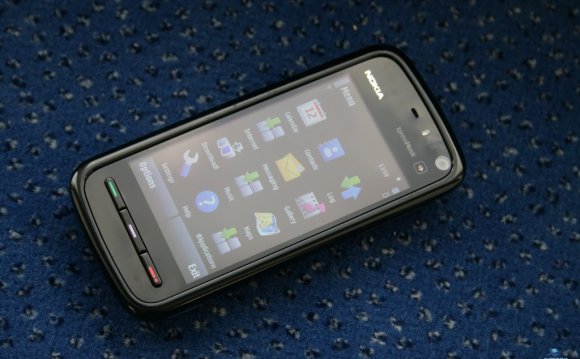
Track@Way has been written originally for the Nokia S60v5 platform. It has been developed initially on a Nokia 5800 Express Music.Today, it has been optimized and improved. It works successfully on both S60v5 and Symbian^3 phones, Anna and Belle included!
Track@Way should work flawlessy on most, if not all, the Symbian touch screen devices, given it has enough memory. At the moment only the C5-00 is known not to be working.
On this page you can find a list all the phones that have been reported to be working. Please report your experience and help us extend this table using the Track@Way support forums
Please note: all the last generation Symbian^3 (Belle) phones do work!
| Maker | Model | Type | Track@Way Support | FreeTrack Support | Comments |
|---|---|---|---|---|---|
| Nokia | 5800XM | Nokia S60v5 | Full | Development platform | |
| 5530 | S60v5 | Tested by drclock | |||
| N8 | ^3, Anna, Belle | Tested by nicojt | |||
| C6-00 | Tested by MaxK61 | ||||
| C6-01 | Tested by G.E. | ||||
| C7 | Tested by Willy Gardiol | ||||
| E7 | Tested | ||||
| Samsung | OmniaHD (i8910) | CF n2o4 by Faenil | Not Tested | Tested by F_Krueger | |
| N97 | Some issues with hardware keyboard | ||||
| N97Mini | |||||
| X7 | |||||
| 500 |
Source: www.trackaway.org
Share this Post
latest post
-
 Garmin Symbian July 29, 2023
 -
 Symbian Review June 29, 2023
 -
 Nokia smartphone OS May 30, 2023
 -
 Best of Nokia April 30, 2023
 -
 What is the Newest Nokia phone? March 31, 2023
 -
 New mobile in Nokia March 1, 2023
 -
 Free apps download for Nokia January 30, 2023
 -
 Symbian VS Android December 31, 2022
 -
 Harga Nokia N Series December 1, 2022